TL;DR
Kovax is an omnichannel AI agent for Shopify stores. Across voice, WhatsApp, SMS, and email, it answers your customers around the clock and reaches out to recover abandoned checkouts, confirm orders, and follow up after a sale, without you hiring a call or support team.
Three pieces make it work. AI agents hold the actual conversation, using your store's catalog and policies so their answers are accurate. Automation workflows decide who gets contacted and when, triggered by real Shopify events like an abandoned checkout or a new order. And the four channels let one agent follow up wherever the customer will respond, so a missed call can continue as a WhatsApp message or an email automatically.
You can test any agent by web or phone before it ever talks to a real customer, and setup for a focused first use case takes around ten minutes. Kovax is strongest for stores with real cart-abandonment or order-confirmation volume, and it is honest about being additive to the channels you already run rather than a replacement for all of them.
What Kovax Is
Kovax is an omnichannel customer platform built specifically for Shopify. It brings voice, WhatsApp, SMS, and email into one app and one automation engine, so a store can answer and reach its customers across every channel from a single place. At its simplest, it does two jobs that normally require people.
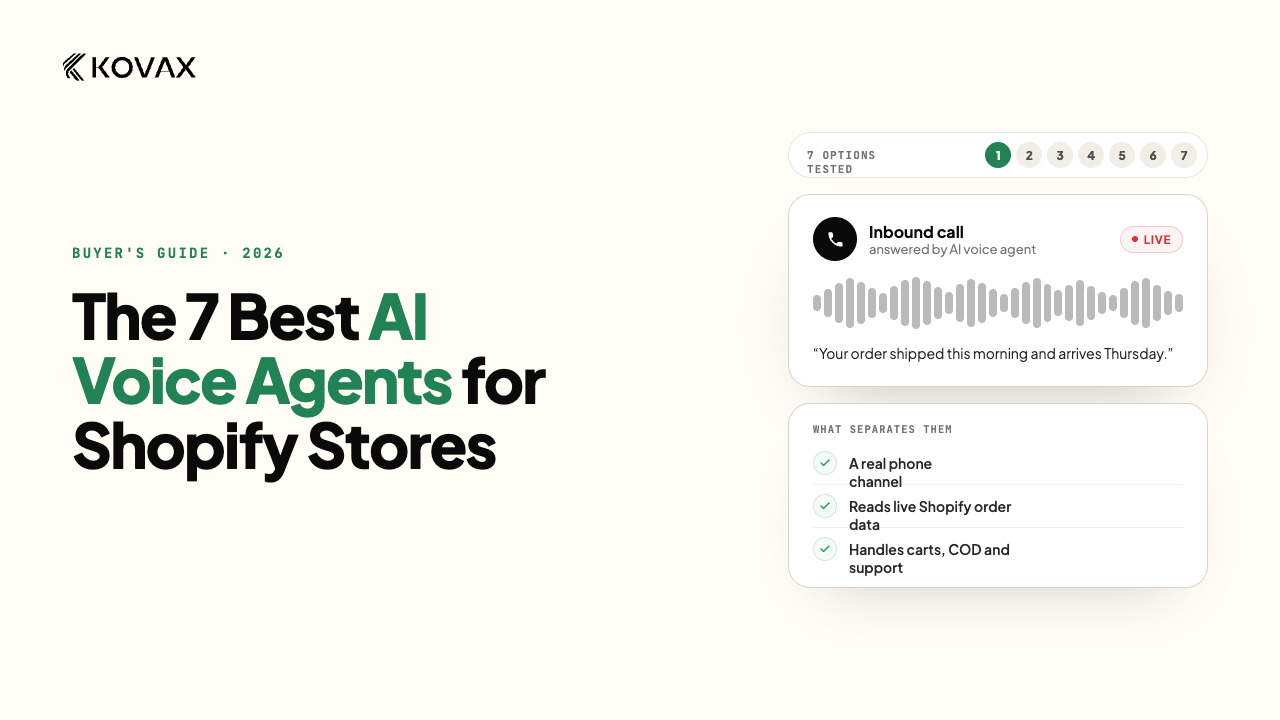
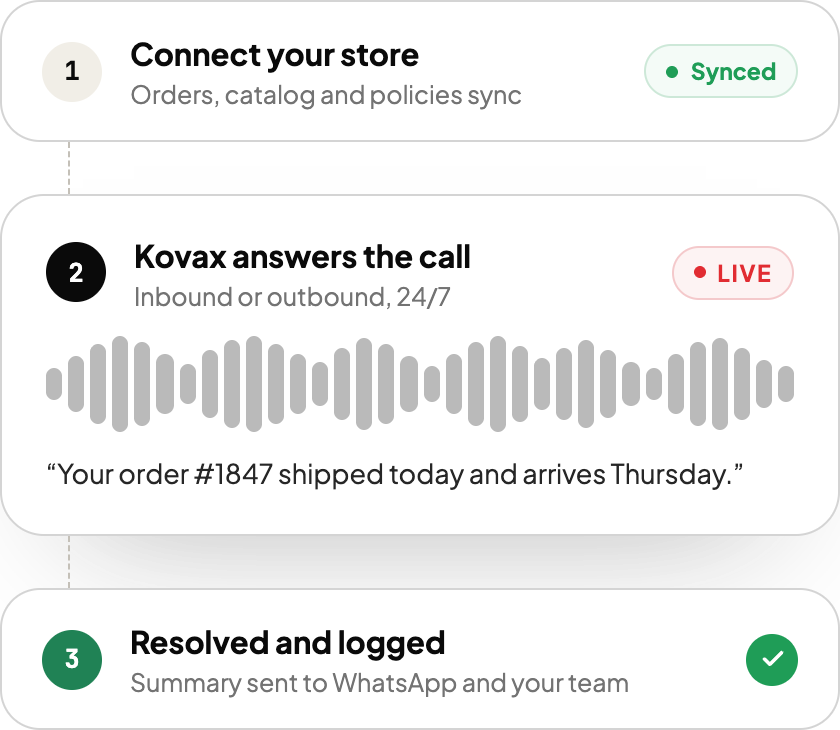
First, it answers customers around the clock. When someone phones your store, the AI agent handles the common questions, order status, returns and cancellations, product and policy questions, by pulling answers from your live store catalog and policies rather than a static script, and it does the same over WhatsApp chat. If a conversation needs a human, it transfers to your team or takes a message.
Second, it reaches out. Driven by what happens in your store, Kovax places calls and sends WhatsApp, SMS, and email to recover an abandoned checkout, confirm an order (including cash-on-delivery orders), or follow up after fulfillment. This is the part that separates it from a plain chatbot or a single-channel help widget: it acts on store events automatically, across whichever channels reach the customer, at the moment the contact is worth making.
Because all four channels sit in one app driven by the same events, a follow-up can start as a call and fall back to a WhatsApp message or email if the call is missed, instead of being scattered across separate tools. Kovax is made by Webrex Studio and installs as an embedded Shopify app, which is why it can read your orders, products, and customers directly and act on them without a middle layer.
The Three Building Blocks
Almost everything Kovax does comes down to three things working together. Understanding them is the fastest way to understand the whole product.
Agents are the AI that talks. You configure an agent's voice, what it knows, and what it is allowed to do, then it handles the live conversation on a call.
Workflows are the automation that decides when an agent acts. A workflow starts from a Shopify event and runs a sequence of steps: wait, then call, and if the call is missed, send a text, then check whether the goal was met.
Channels are how the message actually reaches the customer, by voice, WhatsApp, SMS, or email.
Put plainly: the workflow decides who to contact and when, the agent handles the conversation, and the channel carries it. The rest of this guide walks through each one.
How the AI Voice Agent Works
An agent is the piece customers actually experience, so Kovax gives you real control over it before it ever picks up.
When you build an agent, you set three things. The agent itself: its name, whether it handles inbound or outbound calls, the phone number it uses, and the voice it speaks in (Kovax supports many languages, and can use a local number so the call looks familiar to the customer). The knowledge: you point the agent at your store's information, its catalog, policies, and any details you add, so its answers come from your actual store rather than a generic model guessing. And the tools: what the agent can do mid-call, such as transferring to a human teammate or handing off with a summary when a question is beyond it.
The most important part for most merchants is that an agent is testable before it goes live. You can run a web test call straight from your browser or a real phone test call, then review the outcome in the call history, before the agent ever speaks to a customer. This directly answers the most common worry about AI calls, that they will sound off or mishandle something, because you hear exactly how it performs first. Kovax also requires an agent to have a phone number and at least one piece of store knowledge before you can save it, which is a deliberate guard against launching an agent that knows nothing about your store.
Once an agent tests well, you assign it to a step inside an automation workflow, and that is where it starts doing real work.
How Automation Workflows Work
Workflows are the engine. A workflow is a visual sequence you build, and it always begins with a trigger, a real event in your Shopify store. The events Kovax can start from include a checkout being created (the signal behind cart abandonment), an order being created or updated, a customer being created or updated, and a fulfillment being updated. Because these are native Shopify events, the automation fires at the exact moment something happens, not on a guess.
From the trigger, you add steps. The common ones:
- Wait: pause for a set delay, so you do not call someone thirty seconds after they close the tab.
- Call: an AI agent phones the customer.
- SMS, Email, or WhatsApp: send a message on one of those channels.
- Condition: branch the flow based on what is true, such as order value or whether a previous step succeeded.
- Evaluation and Goal: check whether the outcome you wanted, say, a recovered order, actually happened, and end the run accordingly.
The power is in chaining them. A typical recovery flow waits a short while after a checkout is abandoned, then has the agent call. If the customer answers and agrees, the run marks the goal reached. If the call goes to voicemail or is not answered, the flow falls back to an SMS or email. Then it checks whether the checkout converted to an order and ends as either "converted" or "completed." Every run is recorded, so you can see what happened to each customer and how the automation performed, rather than trusting that it worked.
This event-to-outcome structure is what makes Kovax more than a dialer. It is not just placing calls; it is running a decision graph off your store's real activity and measuring whether it worked.
The Channels: Voice, WhatsApp, SMS, and Email
Kovax leads with voice, but a call is not always the right or the successful contact, so the same agent works across four channels and a workflow can move between them.
Voice is the flagship: real AI phone calls, inbound and outbound, in the customer's language. It is the highest-attention channel, which is why it works well for recovery and order confirmation.
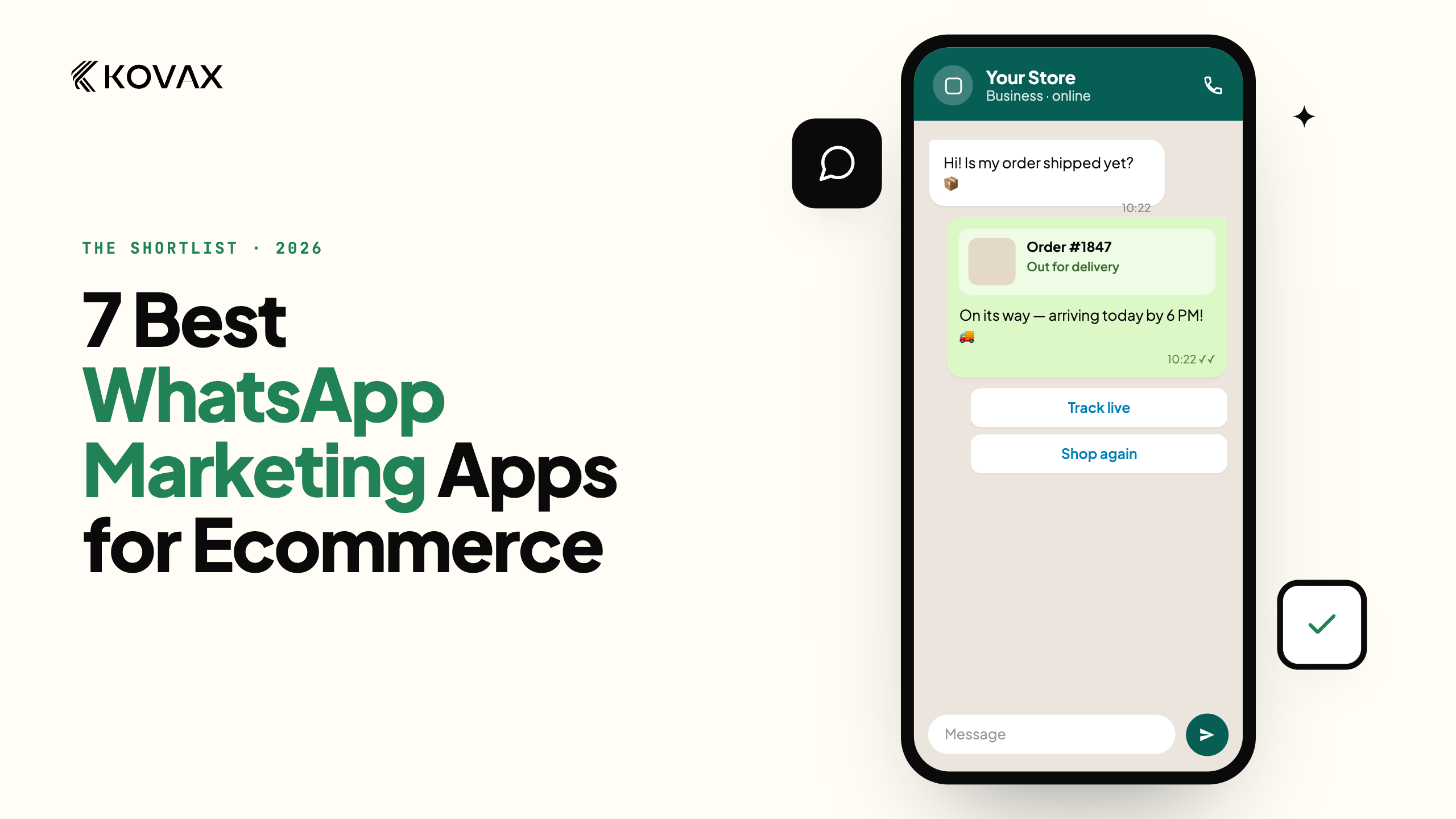
WhatsApp is a full channel, not an afterthought. Once you connect a WhatsApp number (a short onboarding that verifies the number with a one-time code), you unlock templates, campaigns, an inbox, and an AI chatbot on WhatsApp. For many international and emerging markets, this is where customers prefer to reply.
SMS and email round it out for reminders, confirmations, and fallback messages when a call is missed. Email includes a visual template builder so the messages look like your brand.
The point of having all four in one app is fallback and reach: a recovery attempt can start as a call and, if unanswered, continue as a text or email automatically, so a missed call is not a dead end. It also means your voice, WhatsApp, SMS, and email outreach live in one place, driven by the same Shopify events, instead of being spread across separate tools that do not talk to each other. If you want the deeper argument for that, see our guide to omnichannel marketing.
What Powers It: The Credit Model
Kovax runs on a credit model, and understanding it is how you keep spend predictable across channels.
Your plan comes with an allowance of calls, messages, and emails, and every call minute, text segment, WhatsApp message, and email draws down credits as you use it. When your balance runs low, you can either let auto-recharge top it up automatically through Shopify billing, with a cap you control so it never overspends, or turn that off and add credits yourself when you choose.
Two things keep this from becoming a surprise. First, before you launch a campaign or send, Kovax shows a cost estimate for the audience, so you see the spend before you commit. Second, the usage view breaks down spend by channel alongside recovery results, so you can judge what each channel costs against the revenue it brings back rather than flying blind. If a run ever hits an empty balance mid-flow, it pauses rather than failing silently, and resumes once you top up.
This design is deliberate. An omnichannel platform mixes cheap channels like email with more expensive ones like voice, so making the cost of each visible at every step is how Kovax lets you lean on the right channel for each job instead of guessing.
What You Can Use Kovax For
The building blocks above support a handful of concrete jobs. These are the ones most stores start with.
Abandoned checkout recovery. The core use case. When a shopper abandons a checkout, a workflow waits a short while, then has the agent call to answer the hesitation and offer to complete the order, falling back to SMS or email if the call is missed. Cart abandonment is where the biggest pool of recoverable revenue sits, which is why this is the default first workflow.
Order confirmation, including cash on delivery. For stores that take cash-on-delivery orders, unconfirmed and fake orders are a real cost. An agent can call to confirm the order right after it is placed, cutting failed deliveries. This is especially valuable in markets where COD is common.
Post-sale follow-up. Triggered by a fulfillment update, the agent can proactively update a customer on their order, reducing "where is my order" inbound volume and the anxiety that drives it. Good follow-up here is also what earns the reviews that become your social proof.
Round-the-clock inbound support. Beyond outreach, the agent answers inbound calls at any hour, resolving order status, returns, and product questions from your catalog and transferring the genuinely complex ones to a person. For a store without a night or weekend support team, this covers the hours you currently miss. It is a practical way to offer phone support without hiring for it.
Re-engagement and campaigns. Beyond event-triggered flows, you can run bulk campaigns over WhatsApp, SMS, or email to a filtered audience, for a win-back, an announcement, or a promotion, with the cost estimated before you send.
Setting It Up: The First Ten Minutes
Kovax installs from the Shopify App Store like any embedded app, and the first run walks you through a short questionnaire before dropping you into the app. For a merchant who knows the one job they want done first, reaching first value takes roughly ten minutes, honestly stated: some tools advertise "live in three minutes," but a voice agent that actually knows your store needs a little real setup to be worth trusting.
The realistic path is four steps. Create an agent and give it a voice and direction. Add your store knowledge so its answers are accurate (required before you can save it). Provision a phone number so it can place or receive calls. And publish one workflow, usually abandoned-checkout recovery, to put the agent to work. Knowledge base depth, WhatsApp connection, integrations, and message templates are all optional refinements you can add once the first flow is running.
The sensible way to start is narrow: pick one use case, test the agent by web and phone until it handles the conversation well, launch that single workflow, and watch the runs. Once it is proving out, add channels and use cases from there.
Who Kovax Is For, and Who It Is Not
An honest product guide should say where the tool fits and where it does not.
It fits small to mid-sized Shopify stores with meaningful volume in one of its core jobs: enough abandoned checkouts that manual follow-up cannot keep up, a cash-on-delivery business that needs orders confirmed, or enough after-hours calls that you are losing customers to voicemail. If outreach and support are eating your team's time or slipping through the cracks, that is the sweet spot.
It is less of a fit in a few honest cases. If your store has very low order volume, the per-contact cost of voice may not pay for itself yet. If you are already getting strong results from WhatsApp or SMS alone and have no interest in a voice channel, much of what makes Kovax distinct will go unused, though the WhatsApp, SMS, and email channels are still there if you want them. And if your worry is that AI calls feel impersonal, the answer is not to take that on faith: test the agent first, on a real call, and decide from what you hear. Kovax is built to be additive, a voice layer and an automation engine on top of the channels you already run, not an all-or-nothing bet.
That candor is the point. Voice is powerful where attention and timing matter, and unnecessary where they do not, and the tool is designed so you can prove which case you are in before you spend much.
FAQ
What is Kovax?
Kovax is an omnichannel AI agent for Shopify stores. Across voice, WhatsApp, SMS, and email, it answers customers around the clock and reaches out to recover abandoned checkouts, confirm orders, and follow up after a sale. All four channels run in one app driven by real Shopify events, so a store can automate outreach and support without hiring a call team.
How does Kovax recover abandoned carts?
When a shopper abandons a checkout, a Kovax automation waits a short delay, then has an AI voice agent call the customer to answer their hesitation and help them finish the order. If the call is missed, the workflow automatically falls back to an SMS or email, and then checks whether the checkout converted into an order.
Do the AI calls sound robotic?
You do not have to guess. Kovax lets you test any agent with a web or phone call and review the outcome before it ever speaks to a real customer, and the agent answers from your actual catalog and policies rather than a generic script. Testing first is the intended way to judge quality for your store.
Is Kovax an omnichannel platform?
Yes. Kovax brings voice, WhatsApp, SMS, and email into one Shopify app and one automation engine, so you answer and reach customers across every channel from a single place. A workflow can move between channels automatically, and all four are driven by the same Shopify events, rather than living in separate, disconnected tools.
Does Kovax do more than phone calls?
Yes. Alongside voice, Kovax runs WhatsApp, SMS, and email from the same app and the same Shopify events, including WhatsApp templates, campaigns, an inbox, and a chatbot once you connect a number. A single workflow can move across channels, for example starting as a call and falling back to a text.
Do I need technical skills to set it up?
No. Kovax is a no-code Shopify app: you configure agents and build workflows visually, and first value for one use case takes around ten minutes. The main setup is creating an agent, adding your store knowledge, provisioning a number, and publishing one workflow, with everything else optional.
Where to Go From Here
Kovax comes down to a simple idea: let an AI agent handle the calls and messages that recover carts, confirm orders, and answer customers, triggered automatically by what happens in your store. The best way to judge it is not to read about it but to test an agent on a real call and watch one recovery workflow run. You can see how Kovax handles support and recovery for Shopify stores and start with a single use case.