TL;DR
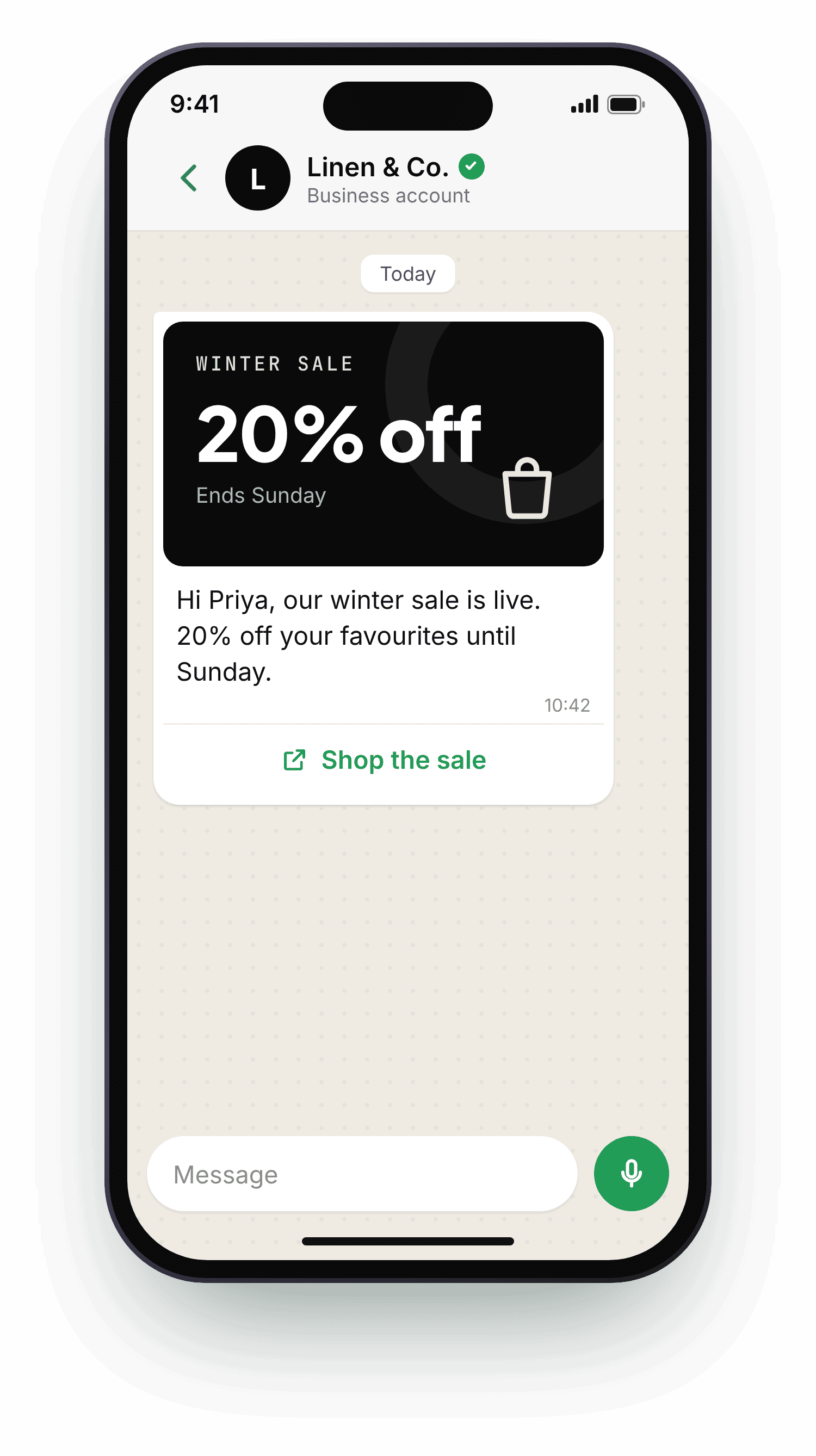
- A WhatsApp broadcast message is one message sent to many customers. Each person gets it as a private chat, and their reply comes only to you.
- A WhatsApp broadcast message sent from your phone reaches 256 contacts at most, and only customers who saved your number. The WhatsApp Business API works differently: it starts at 250 customers a day and grows with your message quality.
- To send a WhatsApp broadcast message with the API: install Kovax, collect opt-in at checkout, pick a Meta-approved template, send to a segment, follow up and count the orders.
- A WhatsApp broadcast message earns orders when it's tied to something the customer just did: an abandoned checkout, a COD order, a dispatch or a restock.
- Quality decides how far you can scale. Meta raises your limit when your messages keep a high quality rating.
Introduction
You sent a WhatsApp broadcast message. No clicks, no orders. More than 3 billion people use WhatsApp every month, Meta CEO Mark Zuckerberg said on Meta's Q1 2025 earnings call, so your customers are there. But one rule decides whether they ever see a WhatsApp broadcast message, and most store owners learn it the hard way. It's in the limits section.
This guide is for Shopify store owners in the UK and India who want to send a WhatsApp broadcast message to customers at scale. Only need a broadcast list on your own phone? The WhatsApp Help Center shows you how. Want to send to your Shopify customers and turn the clicks into orders? Keep reading, because Kovax does that for you.
What Is a WhatsApp Broadcast Message?
A WhatsApp broadcast message is one message that WhatsApp delivers to many people, one by one. Each customer gets it as a private chat, and nobody sees who else received it. Most will tap your link, tap a button or ignore it. If someone does reply to the WhatsApp broadcast message, only you see it. Think of a WhatsApp broadcast message as a private mailing list that delivers into chat.
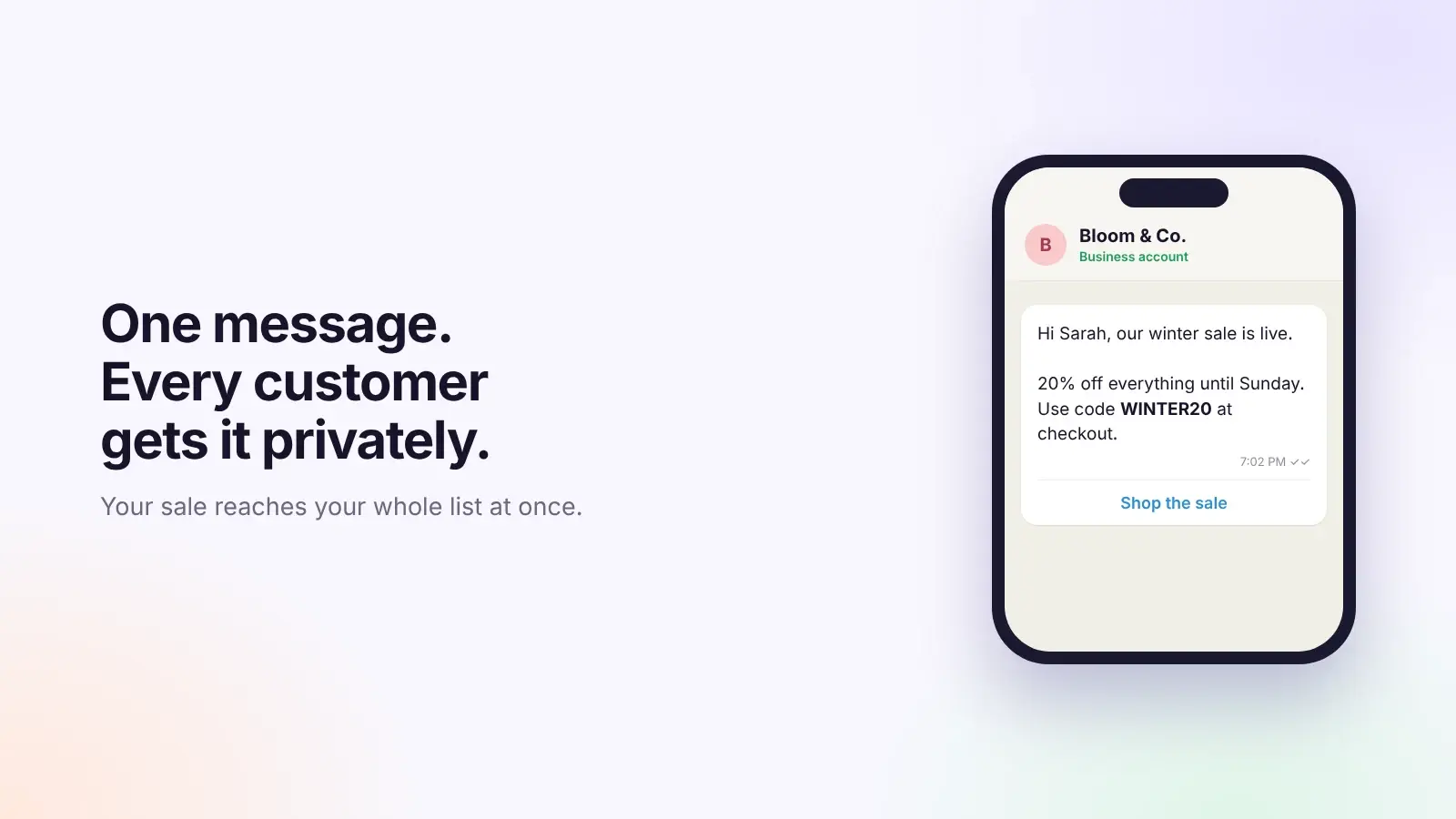
A group is different. Everyone in it sees everyone else, and WhatsApp caps a group at 1,024 members. For selling, a private WhatsApp broadcast message wins: your customer sees an offer meant for them, with no crowd watching.
How Does a WhatsApp Broadcast Message Work for Shopify Stores?
Your Shopify store already holds what a WhatsApp broadcast message needs: customers and their orders. Here is the flow when you send one through the WhatsApp Business API with Kovax:
- A customer ticks the WhatsApp opt-in box at checkout, and Shopify saves the choice.
- Kovax groups your customers into segments, like first-time buyers or a restock waitlist.
- You pick a Meta-approved template. Kovax fills in each customer's name, cart or tracking link.
- Each person receives the WhatsApp broadcast message as a private chat.
- Customers tap your link or a button. Any replies land in a shared inbox, and Kovax can call the interested ones.
WhatsApp Broadcast List Limits on Your Phone
A broadcast list lives inside the WhatsApp app on your phone. It's fine for your first WhatsApp broadcast message.
| Limit | What it means for you |
|---|---|
| 256 contacts per list | A big customer base needs many lists |
| Only people who saved your number get it | Every customer who hasn't saved you is missed |
| A monthly limit in some countries | WhatsApp is rolling it out gradually, so check your own app |
| Same message for every contact | No names, carts or order details |
| Created on your phone only | Not on WhatsApp Web or desktop |
Row two is the rule from the intro. Only contacts who saved your number receive your WhatsApp broadcast message.
Asking what the WhatsApp broadcast limit is? On your phone, it's 256 contacts per list. The WhatsApp Business API, the route Kovax uses, counts differently. Meta's messaging limits cap how many unique customers you can message in 24 hours outside the customer service window, and the cap is shared by every number in your business portfolio. New accounts start at 250. You reach 2,000 by verifying your business, or by delivering 2,000 messages with good quality in 30 days. After that the limit rises to 10,000, 100,000 and then unlimited, as long as your quality stays high and you use at least half your current limit. Quality keeps your limit growing.
How to Send a WhatsApp Broadcast Message With the API: Step by Step
Kovax gives your store AI voice agents that work across voice, WhatsApp, SMS and email. It uses the WhatsApp Business API, so you send each WhatsApp broadcast message from your store, not from your phone.
Step 1: Install Kovax from the Shopify App Store
Install it and your AI voice agent goes live in minutes. It also works with Shiprocket, Razorpay and GoKwik.
Step 2: Collect WhatsApp opt-in at checkout
Ask first, always. Meta's Business Messaging Policy says you may send a WhatsApp broadcast message to people who gave you their number and said they want to hear from you.
Turn on the Shopify WhatsApp checkbox
In Shopify, go to Settings, Checkout, Marketing opt-in and turn on WhatsApp. The Shopify Help Center explains that the customer's choice is saved when they submit the checkout.
[INSERT SCREENSHOT: your Shopify checkout settings page showing the WhatsApp opt-in option]
Write words your customer says yes to
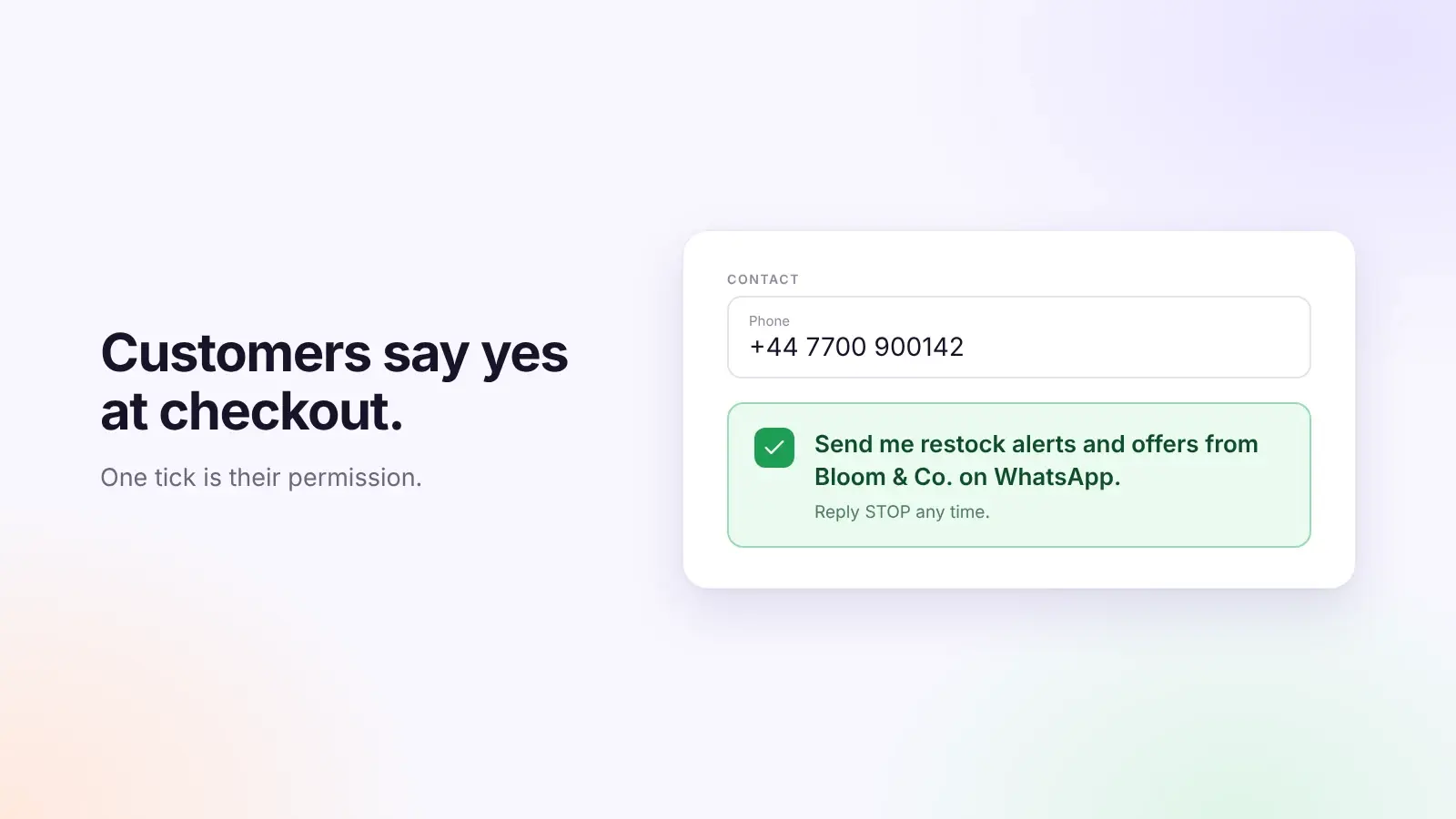
Keep it simple: "Send me restock alerts and early access from [Store name] on WhatsApp. Reply STOP any time." Leave the box unticked, name your store and say WhatsApp. For UK customers, the Information Commissioner's Office expects a clear action from them, not a pre-ticked box.
Keep a record
Note when and how each person joined. A QR code on your packaging works too.
Step 3: Choose a Meta-approved template
Templates are what let you start a conversation outside the 24-hour window, per Meta's documentation. Every automated WhatsApp broadcast message uses one.
Meta sorts templates into three categories: Marketing for offers, launches, restocks and cart reminders, Utility for order confirmations and shipping updates, and Authentication for one-time passcodes.
Kovax comes with a library of Meta-approved templates, including an abandoned cart reminder with a discount, COD confirmation and order dispatched with tracking. Want your own? Draft it, submit it to Meta and track its status in the dashboard. Templates pull the customer's name, cart item, cart total and tracking link from the Shopify order, so nobody gets a WhatsApp broadcast message with a blank gap in it.
Step 4: Send the WhatsApp Broadcast Message to a Segment
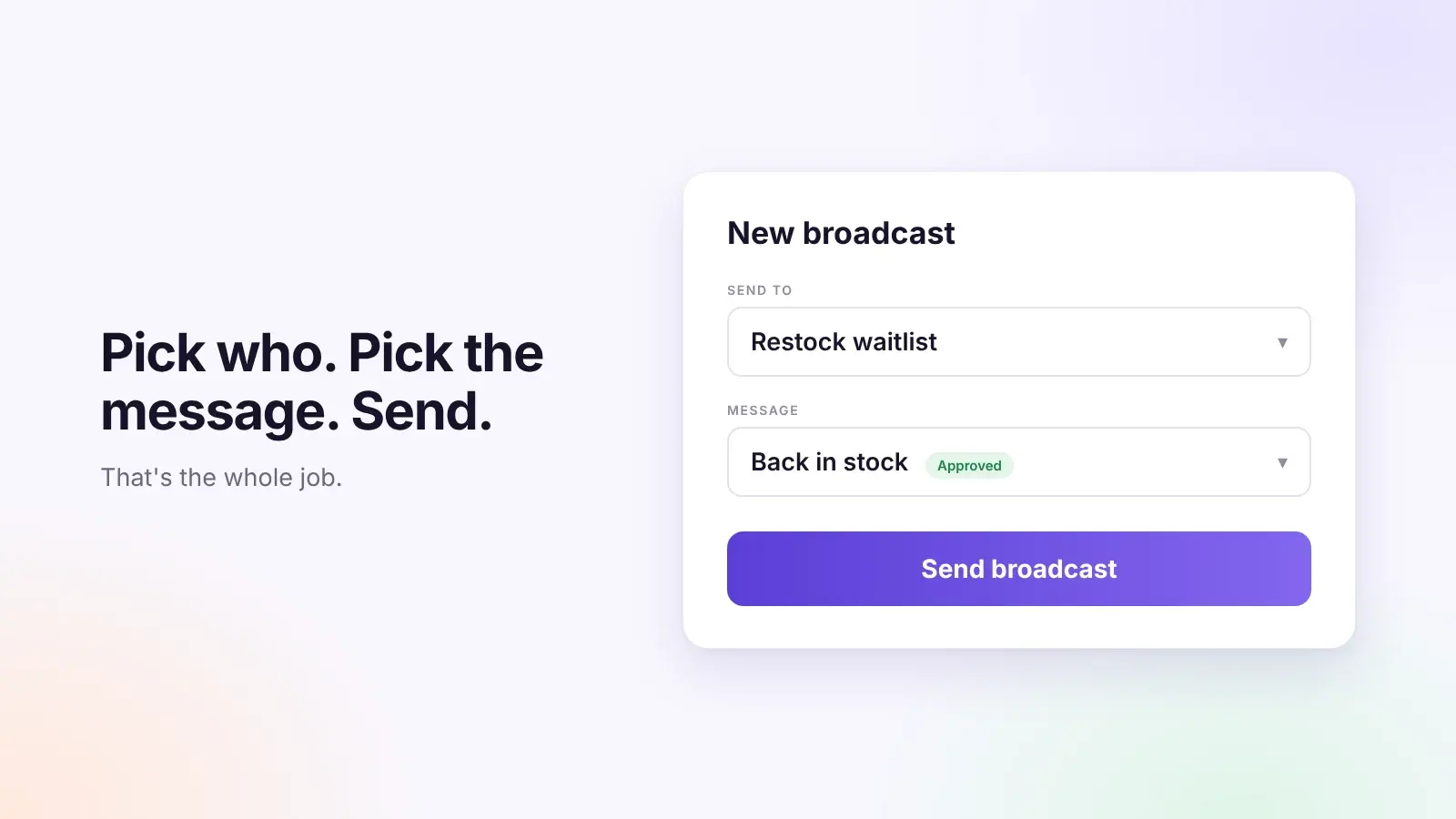
Choose who gets it: your VIPs, first-time buyers or a restock waitlist. Kovax sends the WhatsApp broadcast message with quick-reply buttons, link buttons and an image header. Customers can confirm a COD order or reopen an abandoned checkout in one tap.
Step 5: Handle responses and follow up by call
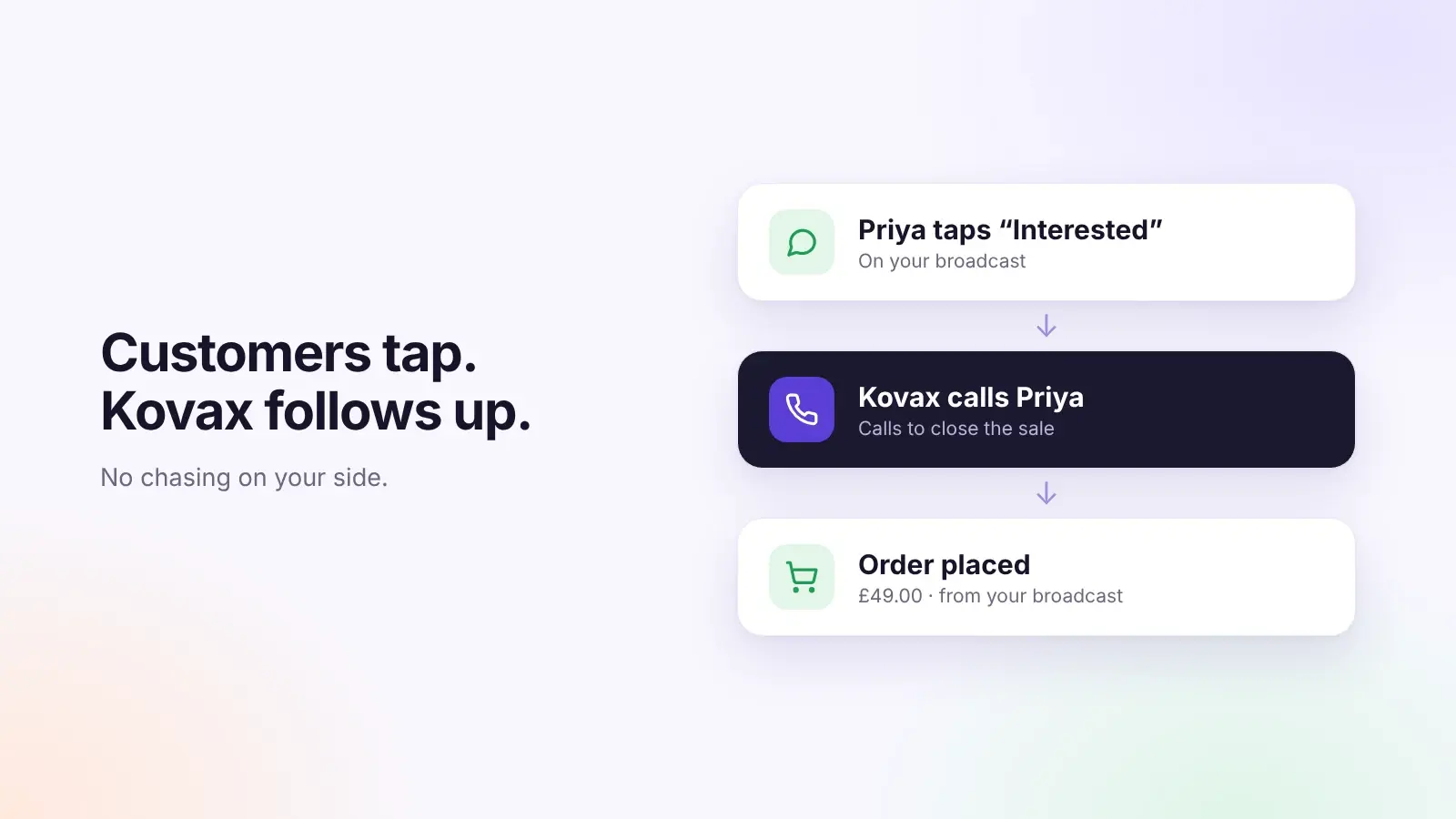
Most people who get your WhatsApp broadcast message will tap the link and shop. Some will tap a button or write back, and those messages land in a shared inbox that supports more than one WhatsApp Business account, so your whole team answers from one place. For customers who are interested, Kovax's outbound sales agent calls to close the sale, so you don't chase them yourself.
Step 6: Count the orders
Add a tag to every link, like utm_source=whatsapp&utm_medium=broadcast&utm_campaign=restock-nov, and give each WhatsApp broadcast message its own discount code. Shopify then shows you the orders, even when someone skips the link. Watch five numbers: delivered and read, replies, link clicks, orders and revenue, and opt-outs.
Ready to try it? Install Kovax from the Shopify App Store and send your first WhatsApp broadcast message to a small segment.
WhatsApp Broadcast Message Use Cases That Drive Real Results
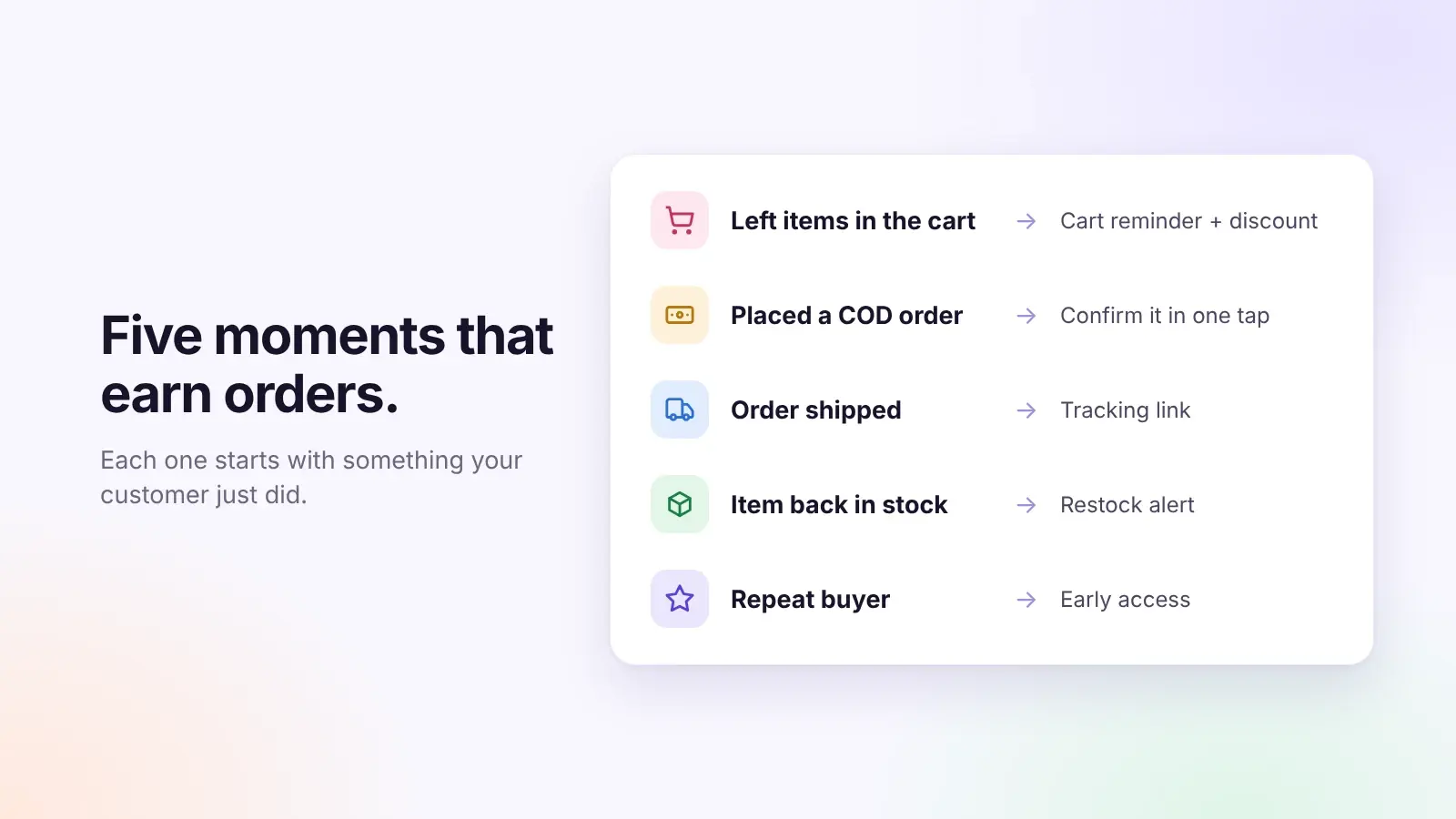
A WhatsApp broadcast message worth sending is tied to something your customer just did, so it feels useful, not pushy. Give each one its own discount code so you can see which earns orders.
Abandoned checkout reminder
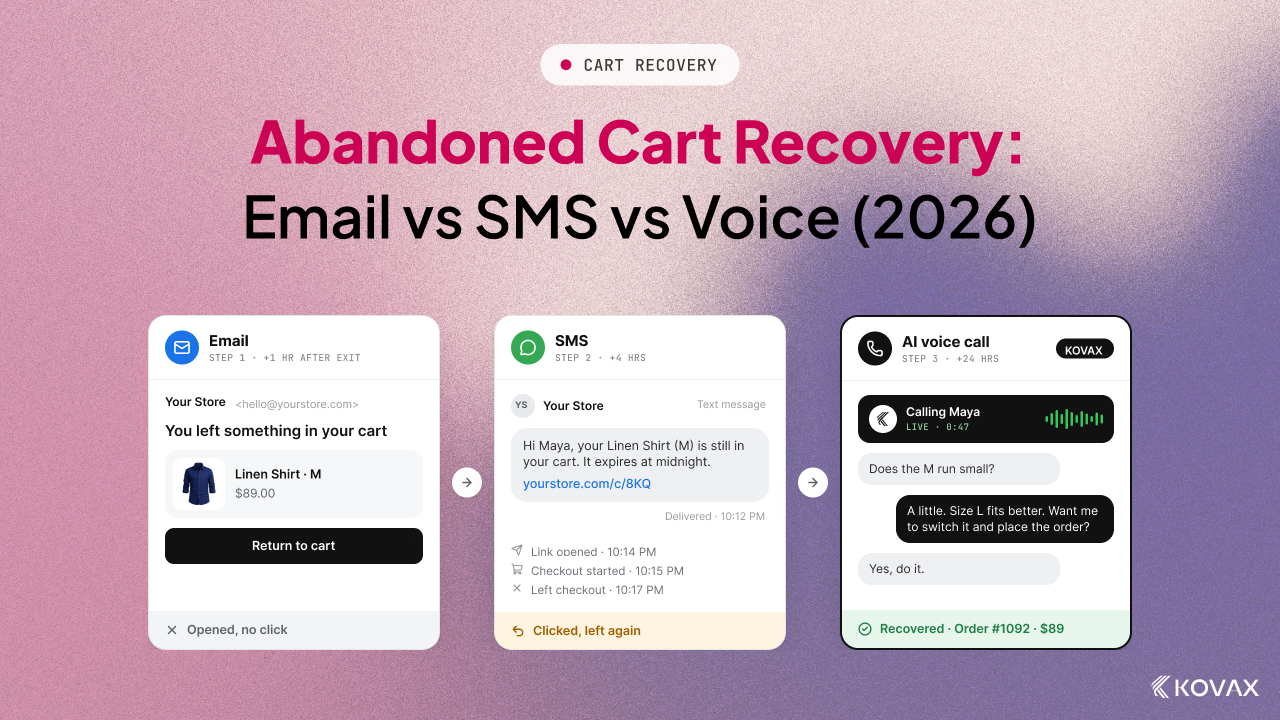
A customer reached checkout and left. Send the library template with a discount, and let them reopen the checkout in one tap. This pairs well with your abandoned cart recovery plan.
COD order confirmation
Popular with Indian stores. The customer confirms the order in one tap before you ship, so you find out early who isn't serious.
Dispatch and tracking update
A utility message with the tracking link pulled from the order. Fewer "where is my order?" messages, and a natural moment for the customer to reply.
Restock and waitlist alert
Send a marketing template to the segment that asked to be told. They already want the product, so this one is the easiest to measure.
Early access for repeat buyers
Message your VIP segment before everyone else. It rewards loyalty, and replies tell you what to stock next.
Best Practices for Sending a WhatsApp Broadcast Message With the API
- Ask first, every time. People who asked to hear from you are less likely to block you.
- Pick the honest template category. Meta reclassifies a promotional message labelled as utility.
- Segment before you send. One WhatsApp broadcast message rarely fits everyone, and templates fill in each customer's own order details.
- Send at local time. Selling in both countries? India is 5.5 hours ahead of the UK in winter, so send to each audience at its own local time.
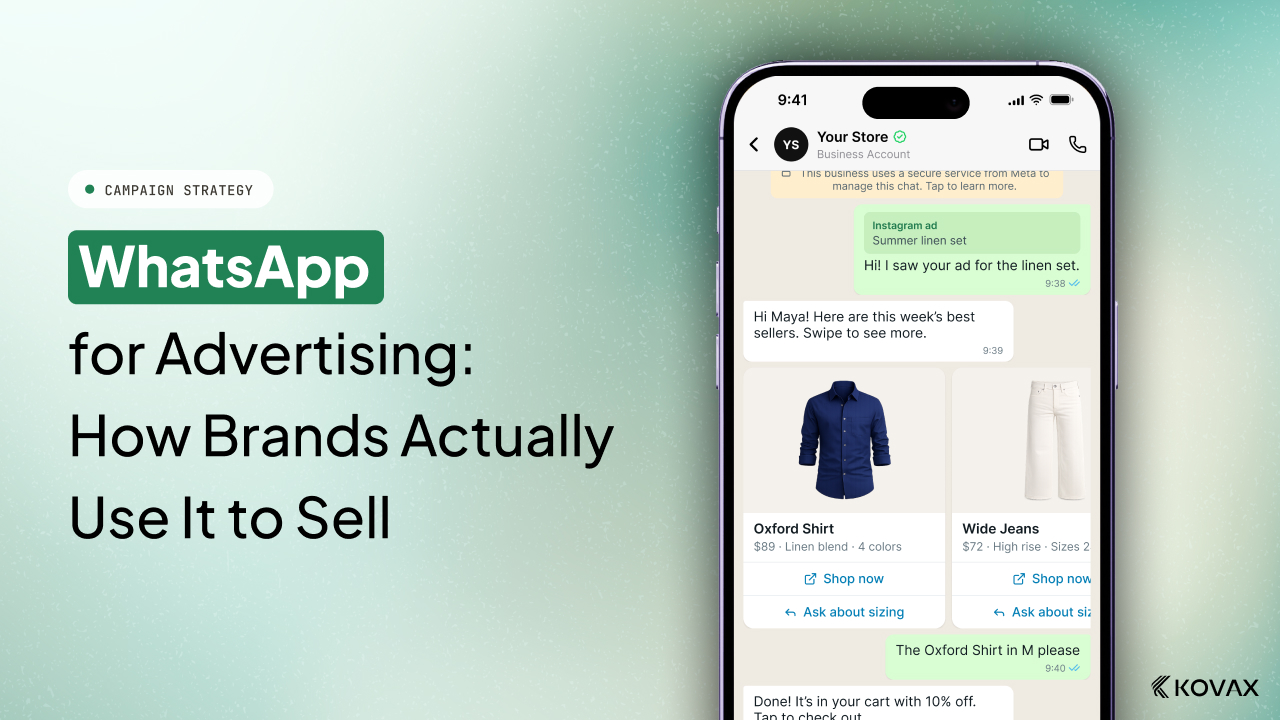
- Reply fast. A reply opens a 24-hour window where you can answer freely, per WhatsApp's Business Messaging Policy. Running ads too? Our guide to WhatsApp for advertising shows how chats turn into sales.
- Protect your quality. If too many people block or report you, WhatsApp can pause your broadcasts. According to the WhatsApp Help Center, business broadcasts can be suspended for three days after spam reports.
- Never buy lists. Strangers block fast, and "Reply STOP" keeps the rest happy.
- Watch cost per order. Template messages are paid per delivered message, so work out the cost per order:
Cost per order = (customers who received it × rate per message) ÷ orders from the WhatsApp broadcast message
Meta lists rates in pounds and rupees on its pricing page. Compare the result with your average order value. Kovax plans are on its pricing page.
Scale Your Shopify Broadcast Strategy With Kovax
Kovax is made for customers who already know your store: orders, abandoned checkouts and replies. It isn't for cold lists. Here is what its WhatsApp marketing gives you once one WhatsApp broadcast message works:
- Store events trigger the right WhatsApp broadcast message. An abandoned cart, a COD order or a dispatch sends it on its own.
- One shared inbox for your team and every WhatsApp Business account.
- A call when WhatsApp isn't enough. The flow moves from voice to WhatsApp to SMS to email, and stops once the customer responds.
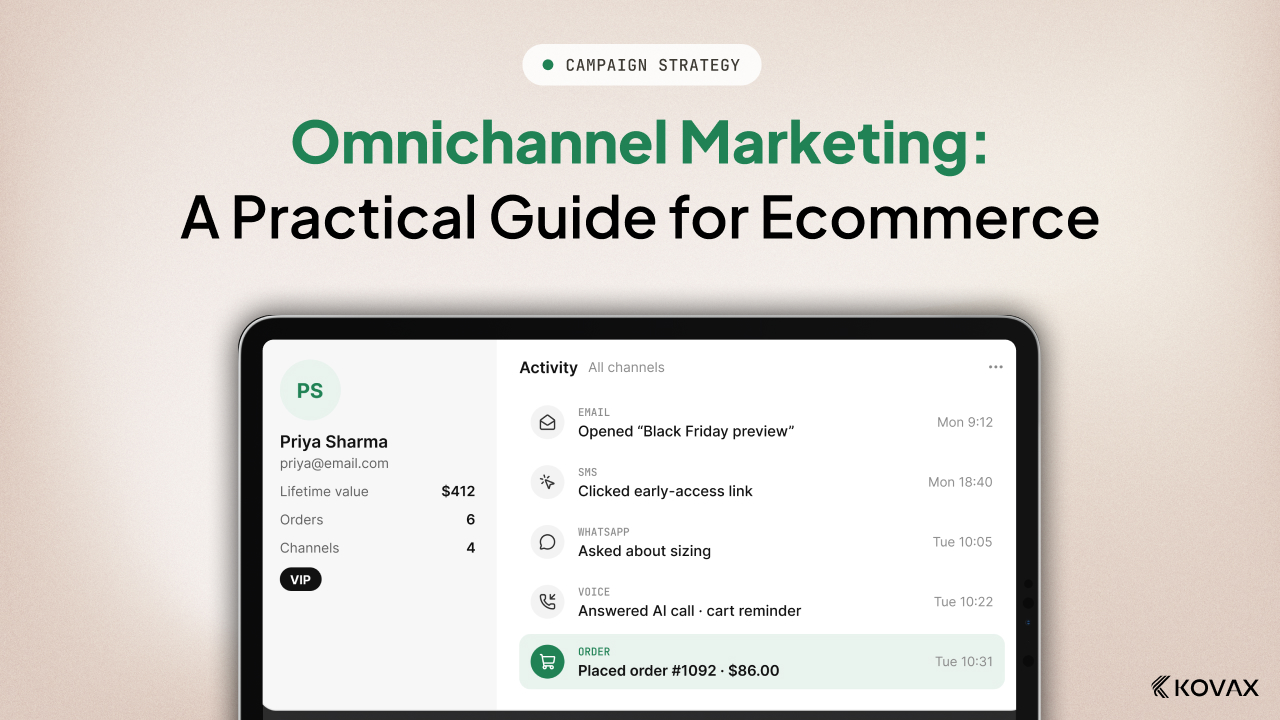
- One customer history across voice, WhatsApp, SMS and email, so nobody repeats themselves.
What We See at Kovax
[INSERT PROPRIETARY DATA POINT: one real Kovax broadcast result with period and store type: delivered, replies, orders, revenue, reply speed. Get the store owner's permission.]
[INSERT MINI-CASE: before, friction, after, result, with hard numbers. Named or anonymised.]
FAQ
What is a WhatsApp broadcast message?
A WhatsApp broadcast message is one message sent to many people at once. Each person gets it as a private chat, and their replies come only to you.
How does a WhatsApp broadcast message work for Shopify stores?
Customers opt in at checkout, Kovax groups them into segments, you send a Meta-approved template through the WhatsApp Business API, and any replies land in a shared inbox.
How many people can I send a WhatsApp broadcast message to?
A WhatsApp broadcast message sent from a broadcast list reaches 256 contacts. With the WhatsApp Business API, a new account starts at 250 unique customers per 24 hours and can scale to unlimited as you verify your business and keep message quality high.
What is the difference between a WhatsApp broadcast and a group?
In a group, everyone sees every message and reply. In a WhatsApp broadcast message, each customer gets a private chat, and only you see any reply.
Why is my WhatsApp broadcast message not delivered?
Most often the customer hasn't saved your number, which broadcast lists require. Other causes are a list at its 256-contact limit, a block, or a monthly limit in your country.
Do I need permission to send a WhatsApp broadcast message?
Yes. Meta requires opt-in, and UK guidance expects a clear action from the customer. Template messages sent through the API are paid per delivered message.
How do I send a WhatsApp broadcast message with the API?
Install Kovax, collect opt-in at checkout, choose a Meta-approved template and send it to a customer segment. Kovax collects any replies in a shared inbox and can follow up by voice call.
Conclusion: Start Small, Then Scale
A WhatsApp broadcast message works because it's personal, quick and easy to act on. Send each WhatsApp broadcast message to customers who already love your store, share news they care about and count the orders. Let Kovax send it, collect the responses and make the follow-up calls.
Install Kovax from the Shopify App Store or see pricing.